

Simplify your WordPress workflow!
Build faster, cleaner, and more reliable WordPress websites using lightweight plugins designed for real-world workflows.
Get started now
The General Settings tab holds the options that are not about a particular content type: where the plugin appears in the admin, spam-channel blocking, shortcuts and, with PRO, WP-CLI and settings transfer.
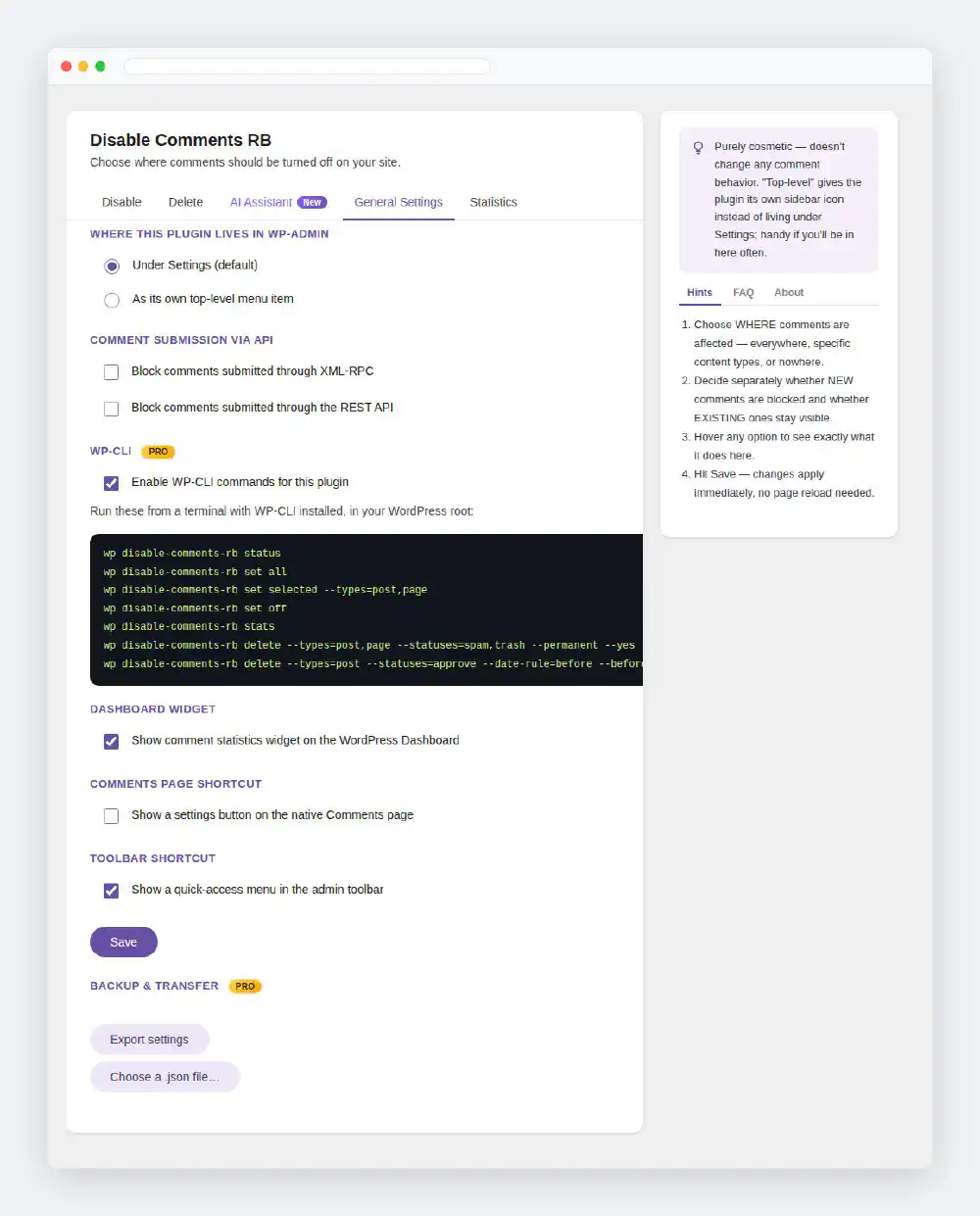
Under Settings (default) or As its own top-level menu item. Purely cosmetic — it does not change how comments behave. Reload the page after saving to see the menu move.
Block comments submitted through XML-RPC
Closes the classic XML-RPC way of posting comments that some spam bots still use to skip the comment form. XML-RPC keeps working for everything else, such as the WordPress mobile app.
Block comments submitted through the REST API
Blocks new comments sent to the REST API’s comments endpoint (/wp/v2/comments). Reading comments through the API still works.
These two close spam channels; they are not a full anti-spam solution. Pair them with an anti-spam plugin if comments stay open elsewhere on your site.
Enable WP-CLI commands for this plugin
Registers the wp disable-comments-rb commands. With it on, the tab lists the commands to run from your WordPress folder. See WP-CLI commands.
Show comment statistics widget on the WordPress Dashboard
Adds a small card with comment counts to the Dashboard. Closing the card with its × also turns this option off; tick it again and save to bring the widget back.
Show a settings button on the native Comments page
Adds a Disable Comments RB Settings button on Comments, next to the comment-type filter, so moderators find the plugin without going through Settings.
Show a quick-access menu in the admin toolbar
Adds a Disable Comments RB item to the black toolbar at the top of every screen, the front end included, with a drop-down that opens any tab directly.
Export settings
Downloads a .json file with everything on the Disable, General Settings and AI Assistant tabs — to copy the setup to another site or keep a backup before a big change. Delete-tab actions and statistics are never included.
Import settings
Choose a file exported by Disable Comments RB and reload the page to see it applied. Files from anything else are refused. On a Multisite network that enforces the settings, import is refused too.
Disable Comments RB reports its configuration under Tools → Site Health → Info, so a copy of that page in a support request already shows how the plugin is set up.
Build faster, cleaner, and more reliable WordPress websites using lightweight plugins designed for real-world workflows.
Get started now