

Simplify your WordPress workflow!
Build faster, cleaner, and more reliable WordPress websites using lightweight plugins designed for real-world workflows.
Get started now
Duplicate Post RB has WP-CLI commands for scripts, deployments and bulk jobs: copy posts by their IDs with any profile, answer the Assistant’s questions, and on a network copy from one site to another.
The WP-CLI tab of Settings shows ready-to-copy commands for your site.
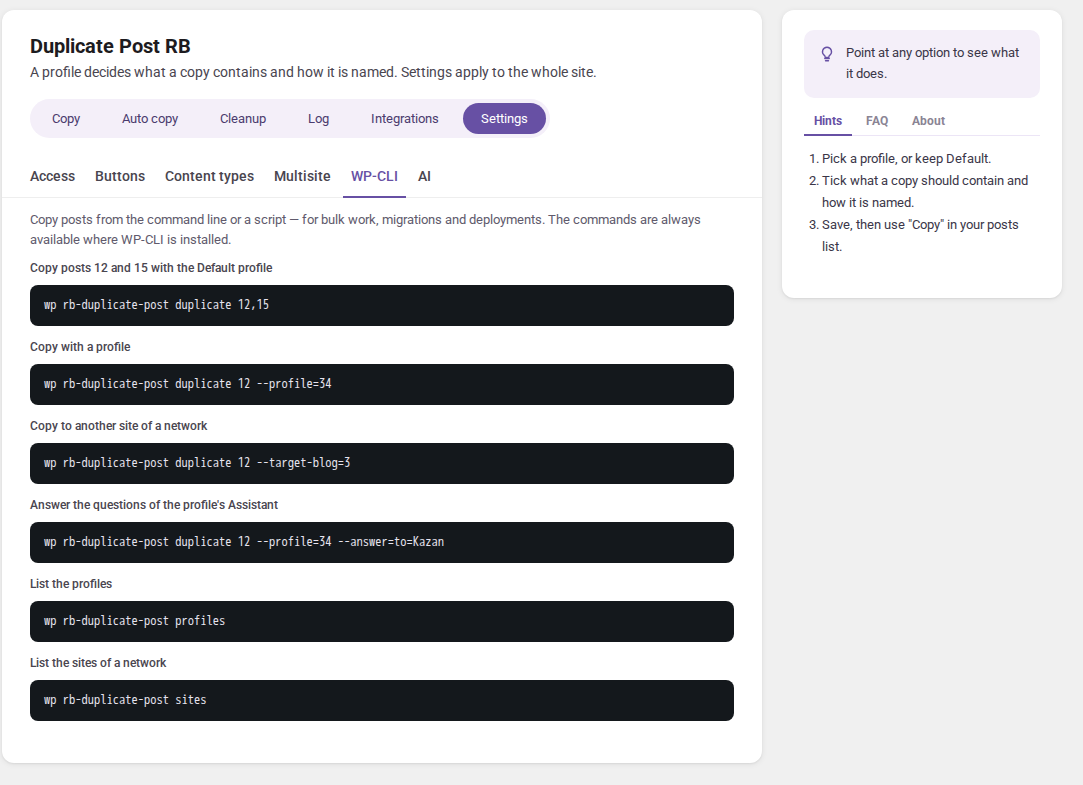
| Command | What it does |
|---|---|
wp rb-duplicate-post duplicate <ids> |
copies the posts |
wp rb-duplicate-post profiles |
lists the profiles with their IDs; the default one is marked |
wp rb-duplicate-post sites |
on a network: lists the sites you can copy to, whether copies between sites are allowed and how media are handled |
wp rb-duplicate-post duplicate 12,15
<ids> is a comma-separated list of post IDs. Without other options every post is copied with the Default profile. Each copy prints its new ID:
Use profile id:3
Success: Duplicated post ID:12 → Created post ID:58
| Option | Meaning |
|---|---|
--profile=<id> |
copy with this profile (IDs from wp rb-duplicate-post profiles). An ID that does not exist falls back to the Default profile |
--answer=<name>=<value> |
answer a question of the profile’s Assistant; repeat it for more questions. Questions left out take their default answer |
--target-blog=<id> |
(PRO, Multisite) create the copies on this site of the network |
--source-blog=<id> |
(PRO, Multisite) read the posts from this site instead of the current one |
# with a profile
wp rb-duplicate-post duplicate "123,456" --profile=34

# the Assistant's questions answered: a landing page for another city
wp rb-duplicate-post duplicate 42 --profile=7 --answer=from=Berlin --answer=to=Munich

# to another site of the network
wp rb-duplicate-post duplicate 123 --target-blog=3

# from site 2 to site 5
wp rb-duplicate-post duplicate 10 --source-blog=2 --target-blog=5
wp on the server can copy. Content types switched off in Settings → Content types are refused.--user=<login> of an editor or administrator: child pages are copied only when that user may read them (drafts and private children need it), and where the profile does not copy the author, that user becomes the author of the copies (without --user, an administrator of the site).Build faster, cleaner, and more reliable WordPress websites using lightweight plugins designed for real-world workflows.
Get started now