

Simplify your WordPress workflow!
Build faster, cleaner, and more reliable WordPress websites using lightweight plugins designed for real-world workflows.
Get started now
Each time a visitor sends a form, Forms RB saves a submission, also called a record, in your WordPress database. It is yours: no outside service is involved in storing it.
If a submission cannot be saved, the visitor sees an error rather than the thank-you message, so they know to try again.
Fields hidden by conditional logic, headings and dividers are not stored. With PRO, a Calculation stores the result worked out by the server.
The Records panel of a form lists what was sent through that form. Open the form in RB Forms → All Forms.
All Submissions, under RB Forms in the admin menu, lists every form’s submissions together, with search and a form filter.
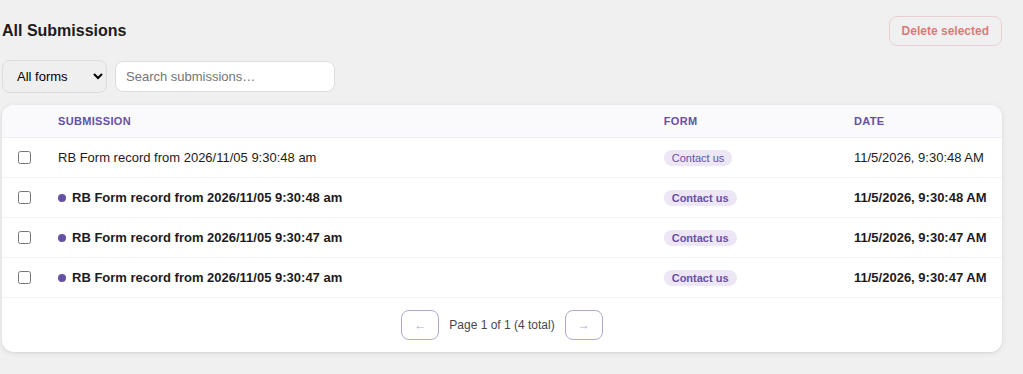
New submissions are also counted next to the RB Forms menu item and in the admin bar.
Submissions are available to users who may edit the form. All Submissions needs the edit_posts capability, and it lists only forms the user may edit. Settings is for administrators.
Submissions hold personal data, such as names, email addresses and IP addresses:
Build faster, cleaner, and more reliable WordPress websites using lightweight plugins designed for real-world workflows.
Get started now