

Simplify your WordPress workflow!
Build faster, cleaner, and more reliable WordPress websites using lightweight plugins designed for real-world workflows.
Get started now
Forms RB is a drag-and-drop form builder for WordPress. Build a contact form, an order form, a support form or a multi-page form without code, publish it with a shortcode, in a popup or as a chat bubble, and receive what visitors send by email, Telegram or webhook.
Every submission is also saved in your WordPress admin, so nothing is lost when an email does not arrive.
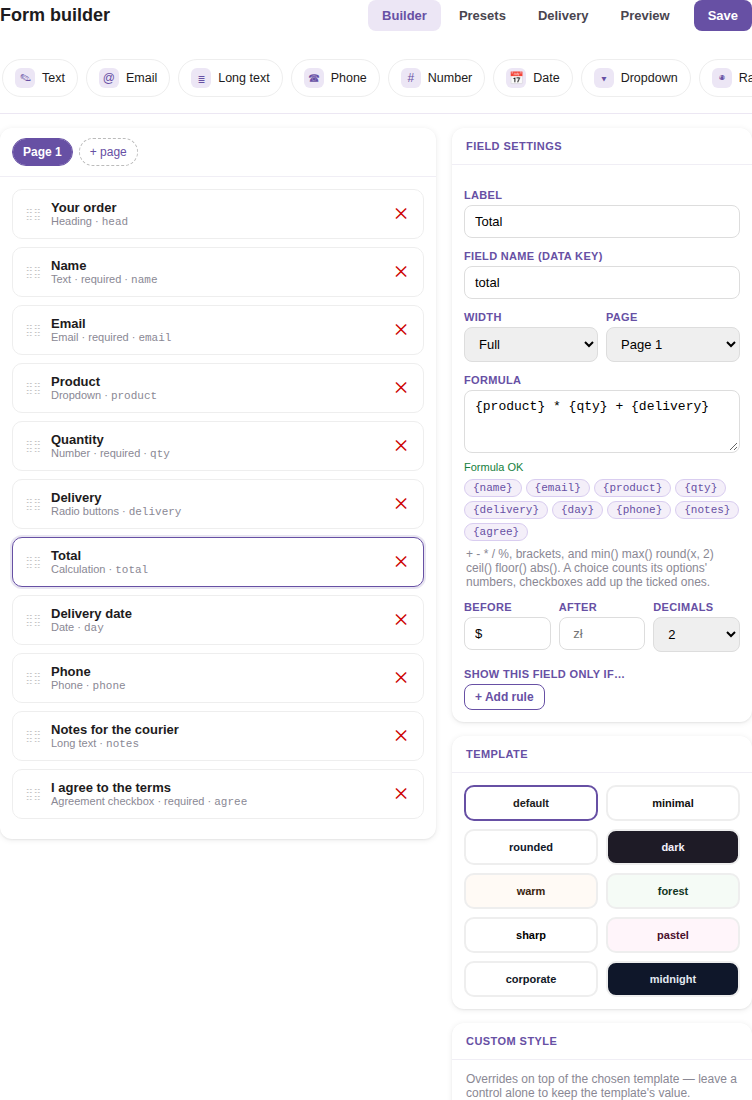
Each form has its own screen with two panels:
Two more screens apply to the whole site, under RB Forms in the admin menu:
Everything above is free. The optional PRO key adds:
Without the key these features are visible in the builder, marked PRO, and switched off. See pricing.
Version 2.0 replaced the fixed list of fields and the Main, Fields, Dialog and Notifications tabs with the Form Builder. Your forms and submissions are moved to the new format automatically:
Button icons and colors return to their defaults, and the dialog’s title and description and your email subject and text are not carried over, so check your forms after the update.
Build faster, cleaner, and more reliable WordPress websites using lightweight plugins designed for real-world workflows.
Get started now